“World Platinum Battery”
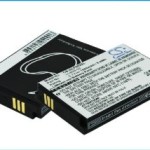

Instructions for replacing your GolfBuddy Platinum Battery
(Black Only)
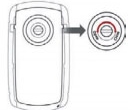 Using a coin, turn the screw counter clockwise to loosen the battery cover.
- Remove the battery cover.
- Remove the old battery.
- Insert the new battery.
- Replace the battery cover.
- Turn the screw clockwise to lock the cover into place.
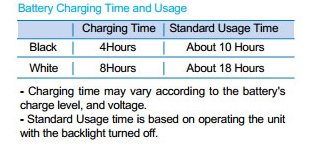
To charge the battery:
- Open the cover located on the bottom of the unit.
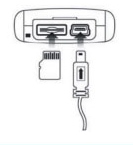 Connect the power adaptor to the wall outlet.
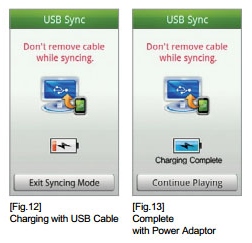
- Insert the connector into the unit, as shown here. A message on the screen will indicate that the battery is charging.
- Once the battery is fully charged, a message stating “ Charging Complete” will appear on the screen
 Talkin' Golf on Google+
 Reviews on YouTube
 Twitter
 Like us on Facebook
 RSS
RSS